Updated February 20, 2026 10:19AM
If you buy through our links, we may earn an affiliate commission. This supports our mission to get more people active and outside.Learn about Outside Online's affiliate link policy
The Best Smart Trainers of 2026: Why Ecosystem Finally Beats Specs
After 32,000 virtual miles, the verdict is clear. From the Wahoo Kickr Core 2 to the Zwift:Ride, here is what to buy in the "post-spec" era.
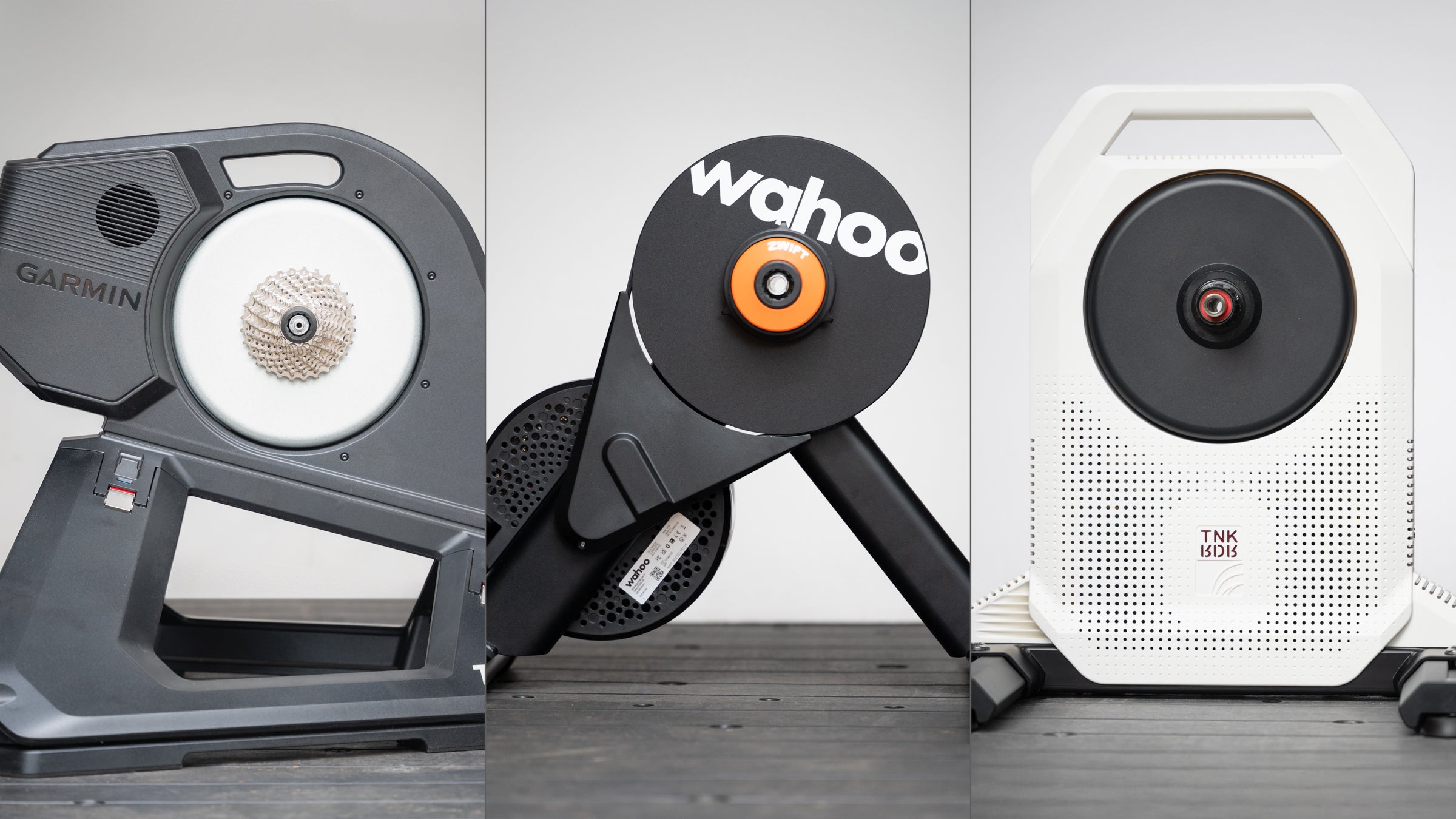
(Photo Josh Ross/Velo)
Table of contents
After testing every smart trainer on the market, I’ve kept this list short. If you want to make it even easier, I have two recommendations. Most people should get the Wahoo Kickr Core 2. It offers everything you need at a great price, and you can choose to use the Zwift Cog or stick with a cassette. If you really want the best, and more accurate power plus better gradient simulation is important to you, then the Wahoo Kickr v6 is the upgrade to buy. In both cases, you can later add upgrades or buy and sell used with ease.
Best smart trainer quicklinks
- Best smart trainer for Zwift→Wahoo Kickr Core 2 with Zwift Cog and Click
- Best budget smart trainer→Thinkrider XX Pro
- Best all-around smart trainer→Wahoo Kickr v6
- Best smart trainer with movement→Garmin Tacx NEO 3M
- Best budget smart bike→Zwift:Ride with Kickr Core 2
- Best smart bike→Wahoo Kickr Bike Pro
I’ve covered 32,000 virtual miles over the years. As those indoor miles have ticked by, the new story was always the latest and greatest specs. For the first time, that’s changed. In 2026 the smart trainer market sits on a solid baseline. You don’t have to worry about power accuracy, connectivity drops, or loud flywheels anymore. If you spend money on a quality brand, that stuff is solved. You can connect to Zwift, or whatever flavor of software you prefer, and your power will match outdoors as you connect without issue.
ADVERTISEMENT
That level of stability means that the brand leaders are free to start innovating in different ways. Some companies are looking at dropping prices while others are adding quality of life features. The Zwift Cog is an option that makes changing cassettes a thing of the past and WiFi, race mode, and movement are the new must have features at the high-end.
With that in mind, here are my recommendations. If you are looking more general information about how to choose the best smart trainer, I’ve got that down below.
The state of the best smart trainers in 2026
With basic specs solid and everything working, the central concept of a smart trainer is solved. At the same time, prices have dropped to a level where wheel-on trainers are effectively obsolete. Beyond that:
- A lot of people want movement. If that’s on your mind there’s forward and backward, side to side, and up and down. Different systems offer different combinations so pay attention to how movement is accomplished.
- Do you want to upgrade over time? Smart bikes are amazing but it’s a big purchase so perhaps you want to start slow and add pieces. If that’s an interesting idea, look for compatibility.
This is a buyer’s guide and we’ve got a whole section of Velo Buyer’s Guides to explore.
Prices updated February 2026.
Best smart trainer for Zwift: Wahoo Kickr Core 2 with Zwift Cog and Click
| Specs: | 16% slope simulation +/- 2% power measurement 1800w max resistance |
| Highs: | Zwift Cog and Click included Zwift:Ride Frame compatibility Race mode; wifi connectivity Zwift Cog and Click |
| Lows: | Doesn’t have useful folding for storage |
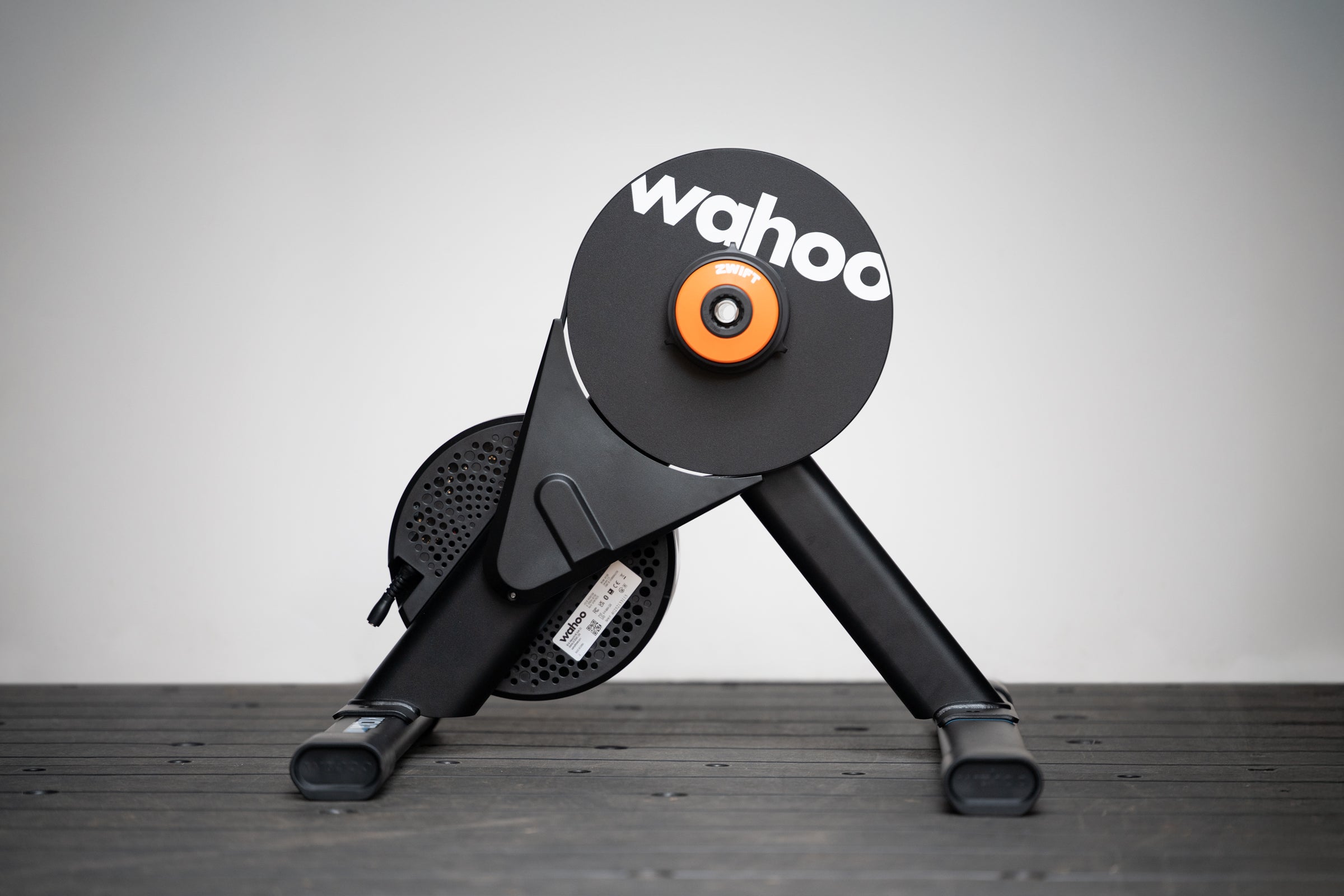
The Kickr Core 2 isn’t just the best trainer for Zwift. This trainer is also the default choice for almost everyone. It’s not the most capable smart trainer available but it offers more than most people need at a great price and this indoor season it got an update.
The newly updated Wahoo Kickr Core 2 offers a lot of what you can find on the Wahoo Kickr V6 for less money. Unlike the previous model, you’ve now got wifi connectivity and race mode for faster data transmission and a more natural ride feel. It’s also dead simple to set up.
This model comes with a preinstalled Zwift Cog that will work with nearly any drivetrain. You don’t need to mess with a cassette and if there’s two people in the house, or two bikes you want to use, there’s no setup to make a change. Just drop your chain onto the Cog and it works by using the, also included, Zwift Click system for shifting electronically within Zwift. You also get controls for navigating Zwift without taking your hands off the bars.
ADVERTISEMENT
This limits shifting in non-Zwift apps, but for structured training platforms like TrainerRoad that rely on ERG mode, shifting is unnecessary anyway. The only thing you can’t do is jump to a different ride simulation software that competes with Zwift but even that isn’t set in stone. Some options are rolling out support for the Zwift shifting system and you can also always swap on a cassette and freehub.
Just make sure you have room for it. There’s no elegant folding solution to the Zwift KIckr Core.
The bottom line: You can get better specs for more money but most people don’t need it and the Wahoo Kickr Core 2 is cheaper and easier to set up. Because it’s the most popular it’s also easier to buy and sell used and there’s more deals on it.
For more info see our Wahoo Kickr Core 2 launch coverage.
Best budget smart trainer: Thinkrider XX Pro
| Specs: | 25% slope simulation +/- 1% power measurement 2500w max resistance |
| Highs: | Inexpensive powered freehub simulates downhill premium specs |
| Lows: | Requires cassette lacks an app for updates not compatible with Zwift cog and click |
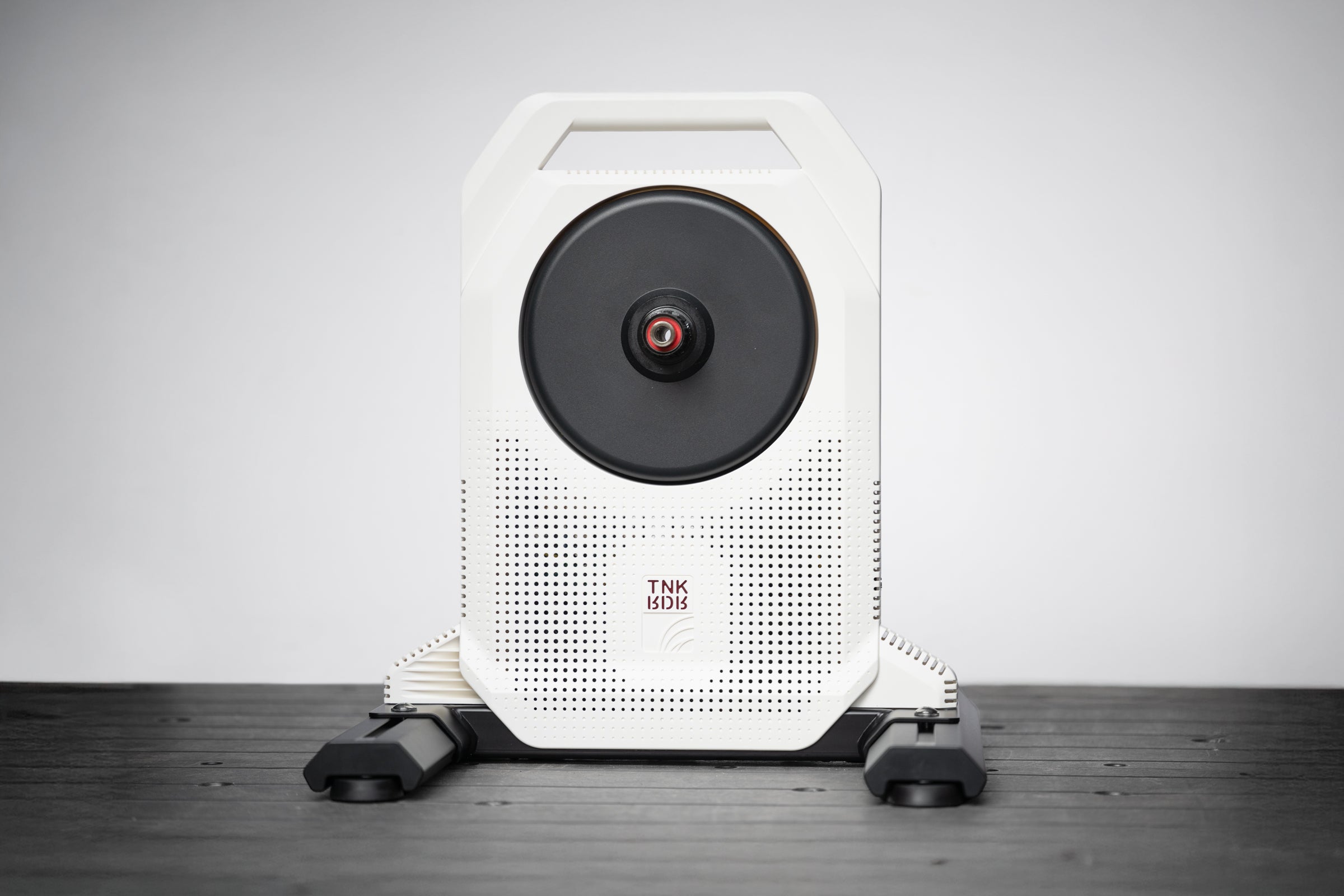
The Thinkrider XX Pro changed the whole conversation. In years past I would have looked for a wheel on trainer as a budget option. Now there’s no point when you can get a solid smart trainer for this price. There are some caveats though.
The problem is that there’s aggressive power smoothing, an app that’s not in English and doesn’t allow turning that off, and no customer service. The power is accurate but because of the smoothing it allows for a wide range without showing different numbers.
The effect of all this is that the Thinkrider works quite well to ride in a simulation software such as Zwift, MyWhoos, or Rouvy. Stick to that use and you are going to be happy. Gradient simulation works as it should.
ADVERTISEMENT
Like a wheel on trainer though, don’t expect great things from ERG mode. It technically works but instead of wheel slipping issues ERG mode will take you to required power then let you drift in a range. It’s technically possible to do intervals but this is not your best choice if that’s your goal. Workarounds exist to turn this off via sideloaded apps, but out of the box, you are locked into the manufacturer’s smoothing. Consider this a hardware-first purchase and don’t expect to rely on software support.
That aside, in a lot of ways, you get far more than you’d expect. Generally speaking there’s a lower tier including units like the KIckr Core 2 that offer around 16% gradient and +/- 2% accuracy. Jump up in price and you get around 20% and +/- 1% accuracy. The Thinkrider offers the details of a high-end unit.
The downside, in addition to the power smoothing issue, is that there’s none of the most recent upgrades common to smart trainers. There’s no movement of any kind unless you add a rocker plate. There’s no cassette included and you can’t use the Zwift Cog and Click system. There’s no support and no upgrade path.
ADVERTISEMENT
If you go this route you save money but consider this a short term purchase that will work until it stops. I can’t test longevity so I can’t say when that’ll be but I can tell you that out of the box it’s an easy setup and does what it says.
Bottom line: If you are on a budget and considering a wheel on trainer, don’t. The Thinkrider XX Pro offers top specs for the price of a wheel on trainer.
Best all-around smart trainer: Wahoo Kickr v6
| Specs: | 20% slope simulation +/- 1% power measurement 2,200w max resistance |
| Highs: | Easy to use handle built in wifi race mode ERG Easy Ramp side to side movement Zwift:Ride compatibility |
| Lows: | Lacks a powered flywheel |
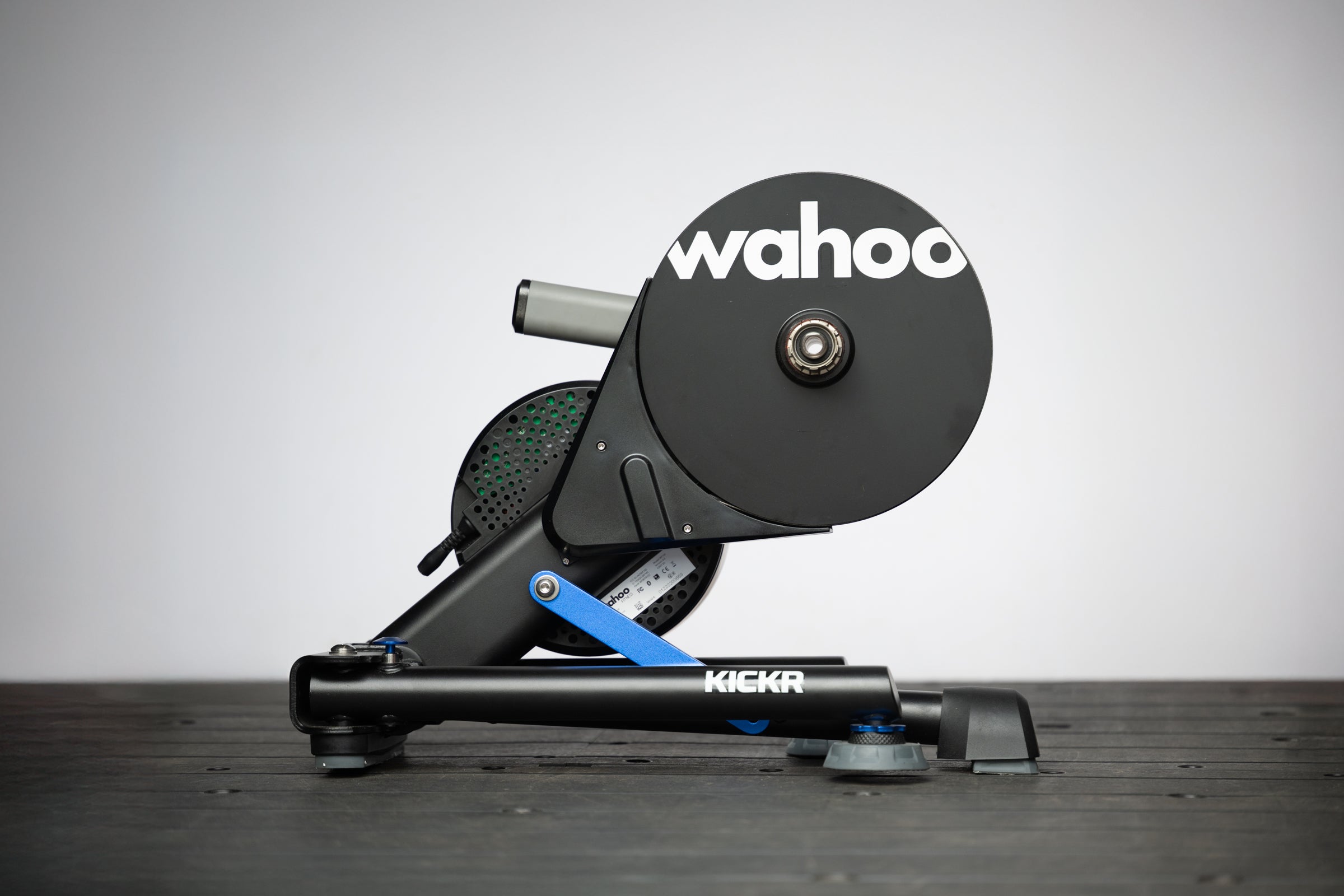
The Wahoo Kickr is the smart trainer that revolutionized indoor training. It wasn’t the first but it was the first one where it just worked without any weird gotchas. Now it’s in the 6th generation and it’s done so well that it’s largely won at this mid-range market segment. Garmin went upmarket to compete and while Elite still has a good competitor it’s tough to get in the US and the upgrade path hasn’t materialized.
This all happened because of the strength of the product. The Wahoo Kickr V6 is winning because it’s good. For the price you pay, you get an amazingly well built package that has an easy to use handle plus legs that fold in. You also get 20% slope simulation and 2,200w max resistance with +/- 1% accuracy power measurement.
The Kickr is also still a product that’s leading trends. WiFi and race mode, offering extra connection options and faster data transmission, became a must have smart trainer feature after coming to market on the Kickr v6. The idea of subtle left/right rocking also came to market first with a Kickr.
ADVERTISEMENT
Above all of that though, the reason I am placing the Wahoo Kickr V6 as the best all-around smart trainer is because of the upgrade path. You’ve already decided to step up to the second tier of smart trainer with higher specs. You should also add the Zwift Cog and Click upgrade so you don’t have to deal with a cassette. If you decide next year you want to stop messing with your outdoor bike then add the Zwift:Ride Smart Frame because it works with the KIckr. If you instead think you don’t mind using an outdoor bike but you want vertical movement to simulate hills then grab the Wahoo Kickr Climb. No matter what trainer you use, you should also use the Kickr Headwind.
Of course you might also decide to upgrade to the full Wahoo Kicker Bike Pro and at that point you’ll need to sell your Kickr v6. When that time comes, the Wahoo Kickr holds its value better than anything else on the market and V6 has an odometer to help make that process a bit easier.
Bottom line: If you want to start with the best smart trainer then later upgrade to a smart bike and this is where you start. The Wahoo Kickr Pro is almost the most common upgraded trainer so like the Wahoo Core 2 it’s easy to buy and sell used.
Best smart trainer with movement: Garmin Tacx NEO 3M
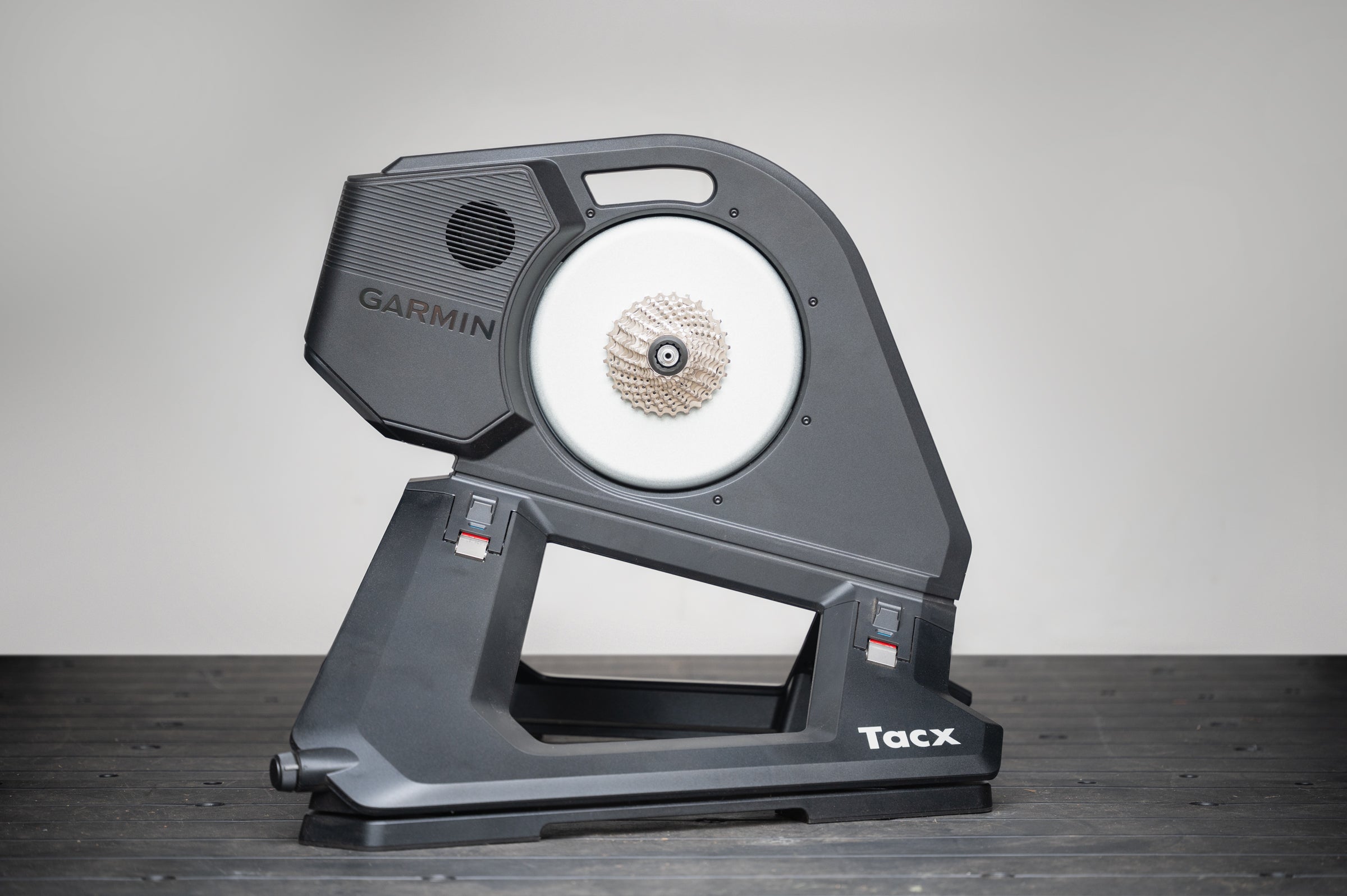
| Specs: | 25% slope simulation Greater than 1% power measurement 2200w max resistance |
| Highs: | Road surface simulation Powered flywheel simulates descents Dual bluetooth radios Lockable motion plates |
| Lows: | Any cassette other than a Shimano 11-speed costs extra lack of trainer bike upgrade in the ecosystem |
Some people despise the locked in, static, feeling of a trainer. Both Garmin and Wahoo offer a solution to that problem. First it starts with the best trainers on the market. The Garmin Tacx option offers power measurement accuracy greater than 1% plus 25% slope simulation and 2200 watts of max resistance.
That’s as good as it gets but Wahoo offers about the same. Technically the Garmin Tacx Neo 3M offers a higher gradient of 25% vs 20% for the Wahoo but it just doesn’t matter. There’s no need for gradient simulations that high indoors.
There are two things that actually matter that the Garmin Tacx NEO 3M has that Wahoo can’t match. First there’s road feel where the trainer shakes a bit to simulate different road surfaces. It’s not a huge thing but it’s a nice bonus when you are paying a lot of money for a nice trainer.
Then second is a powered flywheel that simulates descents. Again, this isn’t a huge thing but outside when you descend you actually accelerate a bit. Wahoo can’t simulate that and Tacx can. It’s especially nice in a Zwift race where it helps you recover a bit.
ADVERTISEMENT
Previously the only thing that the Neo 3M lacked was a good gradient simulation accessory. This year the Garmin Tacx Alpine fixes that. There’s still a hole in the ecosystem where there should be an indoor bike like the Zwift:Ride but if you prefer the movement this is your best bet.
The only other small detail is that it costs extra for cassettes other than Shimano HG. On the upside, the new Zwift Cog and Click can solve that for you.
Bottom line: Short of a full smart bike this is the best you can get and if you really want movement while riding indoors Garmin is actually a better choice than a smart bike but you do need a bike to put on it.
For more information visit our launch day Garmin Tacx NEO 3M article.
Best budget smart bike: Zwift:Ride with Kickr Core 2
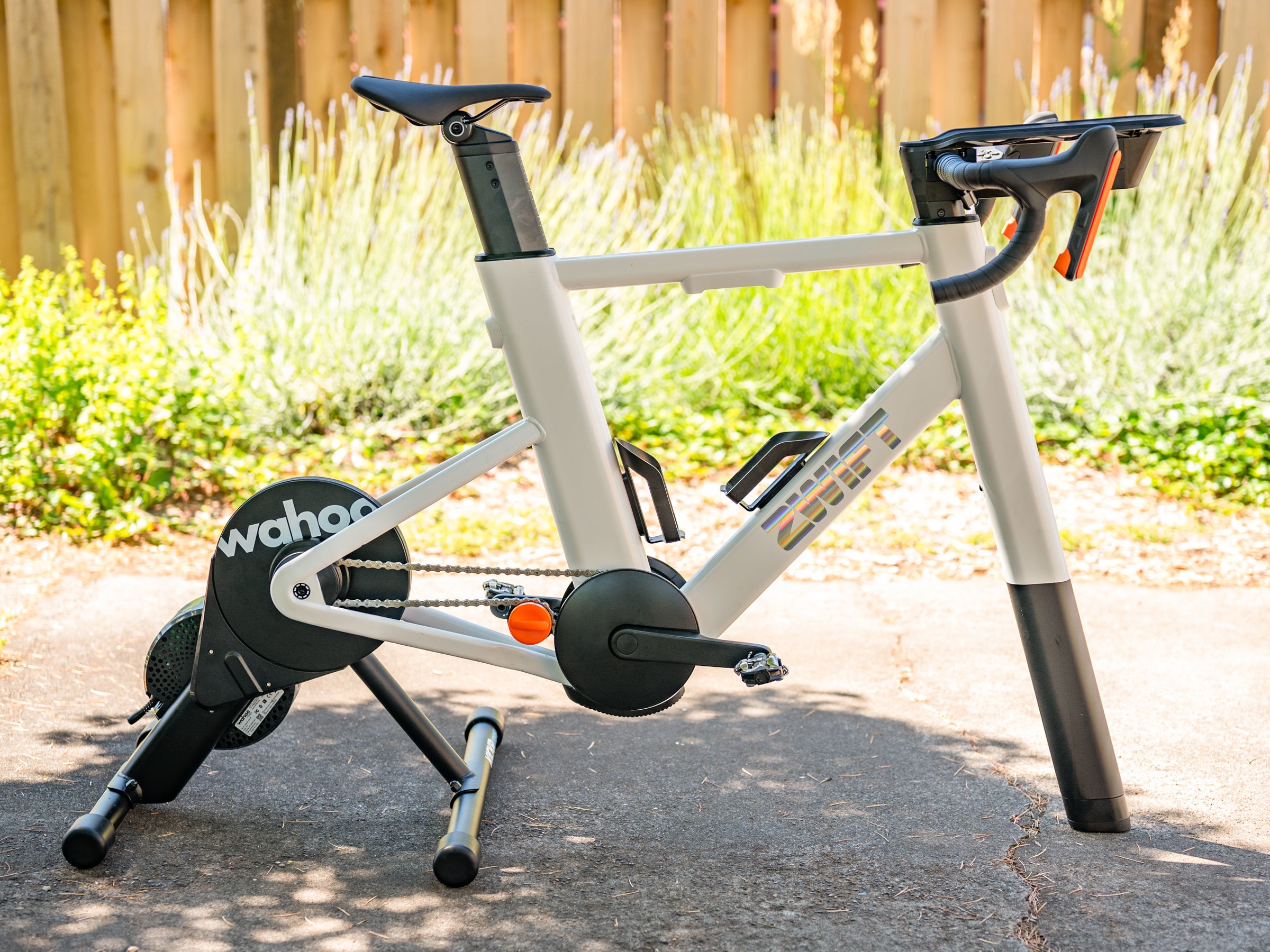
| Specs: | Fits riders 5’ – 6’6” 170mm crank length Includes Zwift Cog and Click |
| Highs: | Available with a trainer or in-addition to a trainer Ideal for Zwift but also works outside of Zwift Included Zwift Click adds to the Zwift experience Simple to setup and use |
| Lows: | Lacks adjustability Difficult to move No movement |
While not a traditional smart trainer, the Zwift:Ride was the first product to make smart bikes a viable alternative to buying a smart trainer. Moving your bike on and off a trainer isn’t ideal and neither is the wear and tear on your bike when it’s used on a trainer (sweat does damage). In the past that typically meant people would put an old bike on the trainer to get around this limitation. In comparison, dedicated trainer bikes are better but they are also expensive.
Then Zwift did what Zwift does and disrupted the existing market. The Zwift:Ride initially came out attached to a Wahoo Kickr Core but it’s now available for a handful of other trainers as well if you just want to upgrade for less money. You can buy it either bundled or on its own.
Once you’ve got the frame it will also include the Zwift Cog and Zwift Click. These accessories move the system from a cassette to a single speed with virtual shifting. The Zwift Click provides steering and easier interaction within Zwift. You can also ignore all of that and use the system with any software that uses ERG mode.
ADVERTISEMENT
Simply stated, this is not the best indoor bike but it is the cheapest. It lacks crank length adjustability and while it works outside of Zwift it’s very Zwift centric. It’s also difficult to move since it’s a separate piece from the trainer plus it’s locked down and there’s no option to add movement. On the upside, it’s easy to get riding as Zwift does a great job with color coded instructions.
Add all those positives and negatives together and it’s cheap enough and good enough that for a lot of people it’ll be a great option to get started with indoor riding on a dedicated bike.
Bottom line: The Zwift:Ride offers an upgrade path if you start with only a trainer and it’s a serious upgrade from using an outdoor bike without the full expense of the Wahoo Kickr Bike Pro.
For more information visit our full Zwift:Ride review.
Best smart bike: Wahoo Kickr Bike Pro
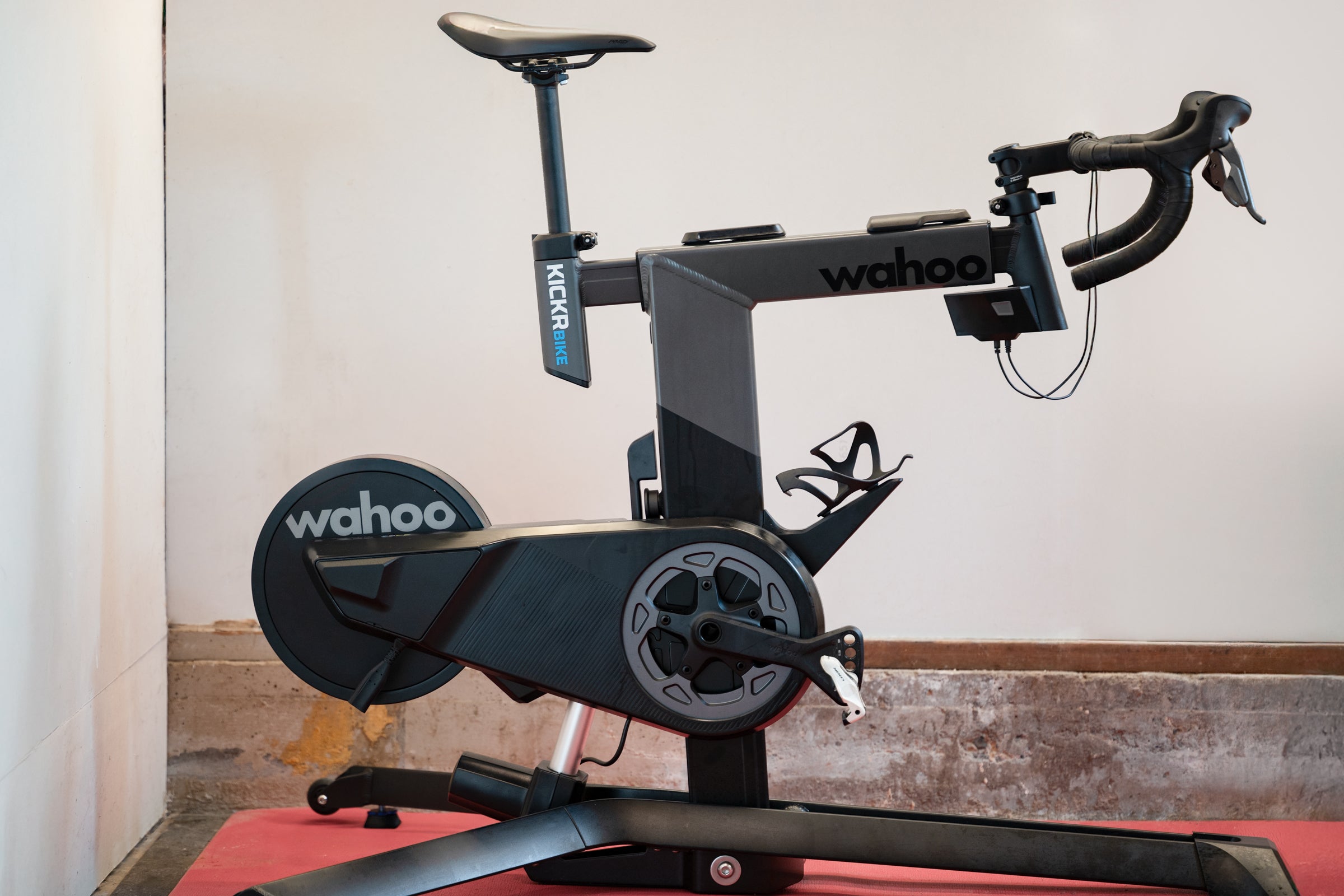
| Specs: | 25% slope simulation and 15% descent simulation +/- 1% power measurement 2500w max resistance ANT+/Bluetooth/WiFi connections with race mode |
| Highs: | Physical gradient simulation powered flywheel fully adjustable slim front end that keeps airflow moving |
| Lows: | Lots of creaking sharp edge on the hoods |
This is the best of the best category. No expense spared and you want the absolute best experience when riding indoors. There’s only a couple of options at this level and the Wahoo Kickr Bike Pro offers the best package of features.
In terms of what you’d consider the normal smart trainer features, you’ll find the specs match that of others in the higher tier. There’s +/- 1% accuracy on the power meter, 2% slope simulation, and a 2500 watt max resistance.
That part is expected though and you could get that with the less expensive Zwift:Ride. From there the Kickr Bike Pro differentiates with complete control of your fit and your shifting. You can play with different setups if you want to test fit changes or you can easily jump back and forth between different riders. You can also adjust the shifting so it’s whatever you want it to be. I have my gearing set to match Campagnolo 2×13 ratios and I map the buttons to mimic Shimano Di2. The ability to mix-and-match logic is one of the great things about a top shelf smart bike.
ADVERTISEMENT
Compared to other competitors at this level, the main differentiator is that the whole bike moves up and down to match gradients in your software (probably Zwift but that’s not required). It’s like the Wahoo Kickr Climb except it’s in the center so it feels even more natural. There’s also a powered flywheel to fully complete that immersion.
After that it’s the controllers and the front end design that I think really seals the deal. No other trainer on the market has a controller setup that’s this good in Zwift. It’s essentially the first generation Zwift controller built into the bars and at this point it’s both one of the few ways to brake in Zwift that still exists plus the most natural feeling. If you are curious why that matters, that’s a big advantage for dealing with wheel suckers in virtual racing.
ADVERTISEMENT
The front design is a separate detail as well. Staying cool during indoor riding is essential and there’s no better fan for that than the Wahoo Kickr Headwind to help with that challenge. It’s a serious upgrade compared to other fans but you can use it with any trainer you want. The Wahoo Kickr Bike Pro makes sure that air actually gets to you by keeping the front end looking more like an actual bike. It’s also helpful in a smaller space.
The trade-off for this immersion is noise. The frame creaks where it telescopes. I use silicone lubrication on the bottom bracket extensions to mitigate it, but it requires regular attention. There’s also a very thick bit of rubber on the hoods and where it ends and transitions to the bar tape is sharp. You will need to get creative when wrapping the bars to fix it.
Bottom line: This is the best indoor cycling experience even if there are some flaws
For more information visit the full Wahoo Kickr Bike Pro review.
How to choose the best smart trainer
As I said in the beginning, the best smart trainers is a whole new category after only a few years of evolution. Part of that is drastic simplification. At one point not every option worked for every bike and not every option worked for every software. At this point that is, thankfully, behind us. Still, there are some considerations.
What is a direct drive turbo trainer?
In the US, we don’t typically use the term turbo trainer but it’s the same as a smart trainer. The direct drive part merely refers to a smart trainer that replaces your rear wheel. Unlike a wheel-on trainer where the tire stays on, a direct drive unit replaces your rear wheel entirely. Today, direct drive is the standard at every price point in this guide.
ADVERTISEMENT
What is a smart trainer?
The whole article hinges on this understanding, it’s probably a good idea to mention it at least once. A smart trainer is a trainer that uses software to adjust resistance.
Do I need to worry about the best bike trainer being compatible with my bike?
For the most part, no. Whatever combination of axle spacing, or axle type, it will work. Most trainers include adapters for 130-135 x 5mm quick releases and 142 x 12mm thru-axles with adapters for 148 x 12mm and 157 x 12mm adapters available for purchase.
ADVERTISEMENT
From there, the next piece to consider is cassette compatibility. Most trainer brands default to a Shimano HG compatible freehub that will work with 11-speed systems from Shimano and SRAM. I can tell you that I’ve also run a Shimano compatible cassette on a trainer with a Campagnolo 11-speed groupset for years without issue. Some trainers will also include a cassette and some will not. For those with 12-speed SRAM groupsets, you will want to make sure that a compatible freehub is available for purchase.
If you’d like to skip any cassette compatibility issues then the Zwift Cog and Click upgrade is going to be your friend. The Zwift Cog isn’t universal for every trainer but it essentially converts compatible trainers into a single speed system with virtual shifting. This is great if you regularly use different bikes on the same trainer, or if you don’t want to think about it.
What software works with the best smart trainers?
This one is even easier than understanding which bikes are compatible with which smart trainers. Modern smart trainers all connect with Bluetooth and ANT+ and will work with whatever program you want to use. I included a note at the top about Zwift compatibility because that’s something people worry about but I can expand it here. Zwift is just one of many apps available for indoor training but everything is interoperable. If there was suddenly a specific app that didn’t work with specific trainers, that would be a big deal. We’ve moved past that being acceptable.
ADVERTISEMENT
The one caveat to all that is Zwift virtual shifting. That’s how the Zwift Cog system, and by extension the Zwift:Ride, works. There’s some intentional misdirection around this system but there are also some limitations. Although Zwift has interval workouts, much of the experience is about riding your bike like you would outside. That means shifting your bike like you do outside and that system will only work in Zwift. All is not lost though.
If you have a trainer that uses Zwift virtual shifting you can still use it outside of Zwift. The difference is only that it won’t shift. Most software that isn’t Zwift doesn’t require shifting so things like TrainerRoad work without issue. However some software, such as Rouvy, have competing freeride systems. If you have a Zwift Cog, Rouvy or anything like it, won’t work.
What is ERG mode and why does it matter?
As discussed above, a smart trainer means the resistance is controlled by software. There are two ways that happens. The first is simulation mode. In simulation mode you are looking at some sort of virtual landscape, or potentially following a real life route indoors, and your trainer adjusts the resistance to make it feel like real life. It’s in simulation mode that max gradient specs might matter.
ADVERTISEMENT
The other way that a smart trainer controls resistance is via ERG mode. If you think about how engines work, your engine is no different. You have the option of spinning faster or pushing harder. In ERG mode, the trainer hardware and firmware will work together to keep the power output constant even as you adjust how hard and how fast you turn the pedals. Simply said, push harder, or spin faster, and your smart trainer will reduce the resistance. Spin slower, or push less, and your trainer will increase the resistance.
What’s fascinating about ERG mode is that it’s kind of the soul of a modern trainer. The hardware is capable of holding exact power and changing that number instantly. Your body is not capable of doing that. The way that different companies handle that mismatch encompasses the feel of a trainer and it’s not exactly the same from brand to brand.
How much does the max resistance matter for a smart trainer?
Trainer companies quote max resistance and max gradient simulation numbers as part of the specs. Both numbers are parts of the same thing and both numbers help give an understanding of how powerful a trainer is.
If these numbers are bigger, you are generally looking at a more expensive trainer but you might not need to care. If you can hit high sprint numbers, that’s pretty clear cut. Get a trainer that covers your sprint needs.
ADVERTISEMENT
Incline numbers are a little different. Ideally you’d want something that covers the biggest incline you want to simulate. On the other hand, if your trainer only simulates up to a 16% max gradient and you ride up a 20% virtual gradient, it won’t break. It will merely feel like a 16% gradient. You likely won’t even notice and even if you do it’s probably a short amount of time.
Also keep in mind that Zwift allows you to turn down your simulation percentage. A hill that takes 1000 watts total output to get up will still take 1000 watts so it doesn’t really make anything easier. What it does is make it take longer to get up that hill since you are putting out less power. You can think of it as flattening and lengthening a hill. You can also think of it as virtual gearing. Either way, a lot of people ride like that and that lessens the few truly steep gradients in Zwift.
The biggest reason most people want to think about these numbers is that they are stand ins for quality. Premium trainers will have bigger numbers than budget trainers. Even if the numbers don’t matter to you, the rest of the trainer is probably higher quality.
ADVERTISEMENT
How much does smart trainer power accuracy matter?
A lot. At least if you care about power data and training.
ADVERTISEMENT
If you don’t care about using power outdoors, it doesn’t matter much at all. Simulating a ride in Zwift you won’t notice any difference with a more accurate trainer. You won’t even notice a difference if you are using software to do intervals at specific power ranges.
The reason you want accuracy is if you always ride with power and you need a transferable number. I almost always do intervals and FTP testing inside so I want high accuracy on that power meter. When I take it outside and use that number I’m not stacking as many variances.
Will a smart trainer damage my bike?
I can’t speak to every trainer and every bike but for the most part the answer is no. At least in the way that people imagine it will. Bike frames go through tons of fatigue testing and it’s incredibly unlikely that you are going to damage a bike because of the frame flexing while locked into a trainer. That doesn’t mean putting a bike in a trainer won’t damage it.
ADVERTISEMENT
Your sweat is incredibly destructive. When you put your bike on a trainer it’s going to collect a lot of sweat and that will do damage over time. Make sure you use lots of covers for the bike, change those covers often, and wash your bike often. There are also sweat protection products, Muc Off has one, that help protect your bike.
How does Velo test the best smart trainers?
I’ve spent over 32,000 miles riding indoors and I’ve tested nearly every trainer on the market. I race indoors, I do intervals indoors, and I free ride using a wide range of apps and services. I even do 100 mile rides indoors on a semi regular basis. I also check power numbers against other power meters and I keep a close eye on price vs specs. The number one thing I do to test the best smart trainers is spend time riding them.